
Playlist imports
An imported playlist is a static playlist. It differs from a flow:
- It does not use a source mix, Focus, or Deep Dive.
- A Spotify, YouTube Music, Deezer, Last.fm, or ListenBrainz import can sync on its own schedule. A synced import keeps the same tracks as the provider.
- A JSON import keeps the exact tracklist that you imported.
- It can reuse finished Aurral tracks and existing Lidarr files instead of downloading them again.
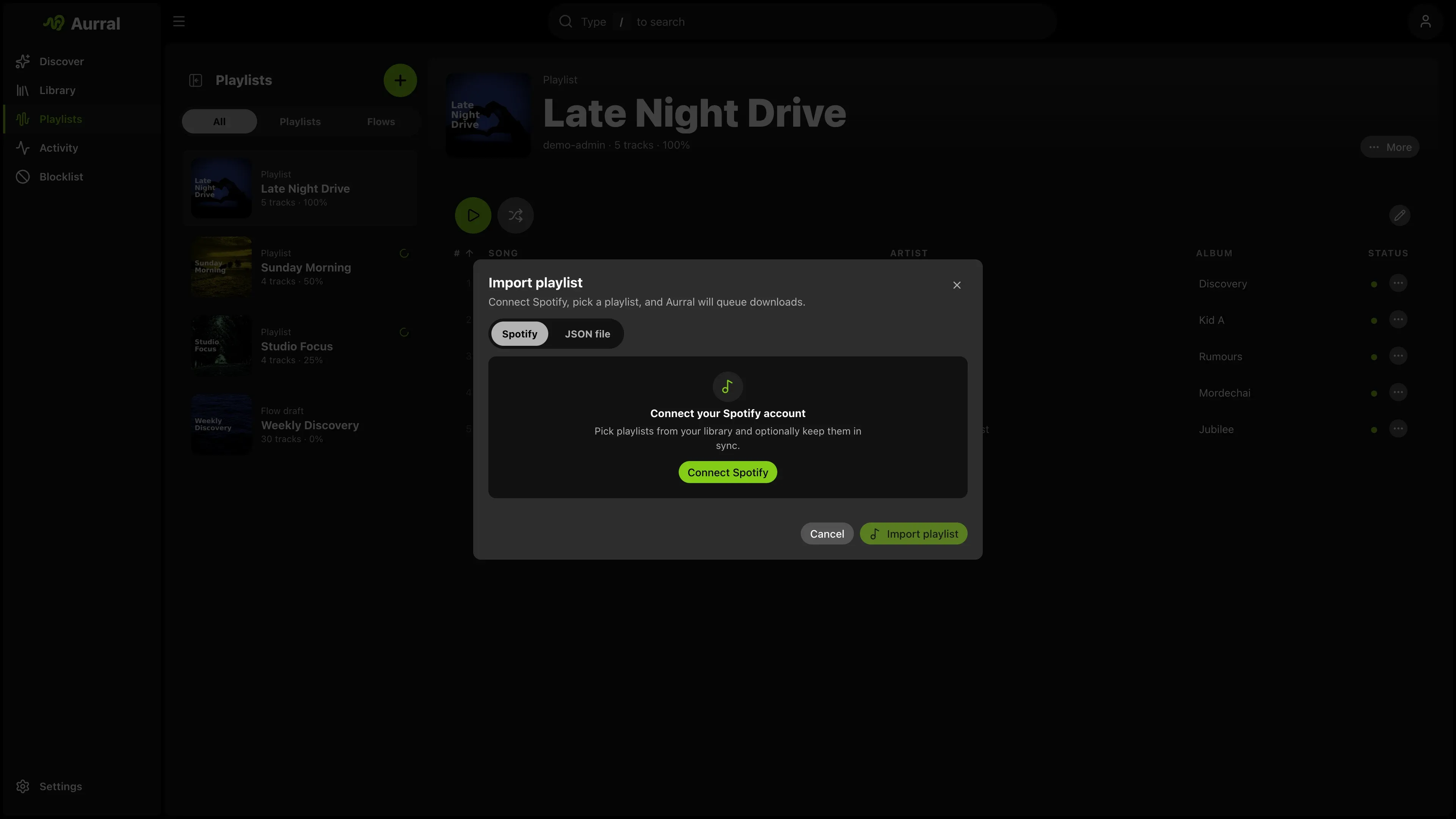
All imports start in the same place. On Library > Playlists, open the create menu and select Import playlist.
Sync schedule and removed tracks
Section titled “Sync schedule and removed tracks”Each provider import has a sync schedule. Choose None for a fixed tracklist. To change the schedule later, use Auto-sync in the playlist menu. To sync at once, select Sync now.
A sync reads the provider playlist again. Aurral removes the tracks that are gone and queues the new tracks.
By default, a track that the provider removes leaves the Aurral playlist, but its file stays in the Library. To delete the file instead, turn off Keep removed tracks in library during the import or in the playlist menu. Aurral then deletes the file if no other playlist uses it. It never deletes Lidarr files or other external files. The setting applies to future syncs.
Import from Spotify
Section titled “Import from Spotify”- Select Spotify.
- Select Connect Spotify.
- Approve access in the pop-up window.
- Select a playlist.
- Set a display name and a sync schedule.
- Start the import.
If your browser blocks the pop-up window, allow it. The Aurral server must serve oauth.html.
Spotify returns playlist items in pages of up to 50. Aurral reads every page, so a very large playlist takes longer to sync. If Spotify reports more items than Aurral received, the sync fails and Aurral keeps the saved tracklist. Spotify gives item details only for playlists that you own or collaborate on.
Aurral stores one Spotify connection for each user. To revoke access, select Disconnect in the import window.
If Spotify expires or revokes the connection, Aurral disconnects it and pauses your synced Spotify playlists. When you next open Aurral, a Spotify disconnected message appears. Select Reconnect to open the import window and connect again.
Import from YouTube Music
Section titled “Import from YouTube Music”You can import a public YouTube or YouTube Music playlist. You do not need a Google account or an API key.
- Select YouTube Music.
- Paste an HTTPS playlist URL from
youtube.comormusic.youtube.com. - Load the preview.
- Set a name and a sync schedule.
- Start the import.
Aurral loads every page of the playlist before it shows the preview or changes a synced playlist. If YouTube returns an incomplete or repeated page, times out, or is unavailable, Aurral keeps the playlist tracks and files as they are. Load the preview again, or select Sync now later. If YouTube Music limits Aurral’s requests, Aurral pauses its requests for a short time.
The preview shows how many tracks Aurral can import and how many it skips. Aurral skips unavailable entries, podcasts, rows without an artist or title, and duplicates. For a music video, Aurral uses the first author of the video as the artist, and the track can have no album.
Aurral supports public playlists. An unlisted playlist can work when YouTube allows anonymous access. Aurral cannot import private playlists, Liked Music, your library, or personal account playlists, because they need a Google sign-in.
This import supplies only the tracklist. Your download clients find and download the tracks.
Import from Last.fm
Section titled “Import from Last.fm”The Last.fm tab offers three stations: Library, Mix, and Recommended.
- Select Last.fm.
- If Aurral does not show your username, enter it. Aurral fills it in when Last.fm is your listening-history provider in Profile.
- Select a station.
- Start the import.
Aurral saves the username with the playlist for future syncs. A synced station follows Last.fm as the station changes.
Import from ListenBrainz
Section titled “Import from ListenBrainz”Before you import, link ListenBrainz in Settings > Playback > Scrobbling. Aurral uses the same user token.
- Select ListenBrainz.
- Select a playlist.
- Start the import.
The list shows the playlists that you own, and two generated playlists: Weekly Jams and Weekly Exploration. It leaves out the dated snapshots from Created for you.
Weekly Jams and Weekly Exploration always point to the newest generated playlist. Aurral finds the newest one each time it previews, imports, or syncs. Another playlist that you own always syncs that one playlist.
Import a JSON file
Section titled “Import a JSON file”To import a Spotify playlist without connecting Spotify:
- Export the playlist with Exportify.
- Convert the file with the Spotify CSV converter.
- Import the JSON file on the JSON file tab.
Aurral also accepts output from CSVJSON. It reads Spotify column names such as Track Name, Artist Name(s), and Album Name.
Accepted file shapes
Section titled “Accepted file shapes”The importer accepts these JSON shapes:
- An exported Aurral playlist file
- One playlist object with a
tracksarray - An array of tracks
- An object with a
playlistsarray - An object with a
playlistproperty that holds one playlist
Aurral reads a top-level array of tracks as one playlist, and a top-level array of playlists as several playlists.
Track fields
Section titled “Track fields”Each track needs an artist and a track name. These keys are accepted:
| Field | Accepted keys |
|---|---|
| Artist | artistName, artist, artist_name, Artist Name(s) |
| Track | trackName, title, name, track, Track Name |
| Album, optional | albumName, album, Album Name |
| Artist ID, optional | artistMbid, artistId, mbid |
The smallest valid track:
{ "artistName": "Burial", "trackName": "Archangel"}Examples
Section titled “Examples”An exported Aurral playlist file:
{ "type": "aurral-static-tracklist", "version": 1, "exportedAt": "2026-03-25T12:00:00.000Z", "name": "Late Night Finds", "sourceName": "Friday Flow", "sourceFlowId": "abc123", "trackCount": 2, "tracks": [ { "artistName": "Burial", "trackName": "Archangel", "albumName": "Untrue", "artistMbid": null }, { "artistName": "Four Tet", "trackName": "Two Thousand and Seventeen", "albumName": null, "artistMbid": null } ]}One playlist object:
{ "name": "My Playlist", "tracks": [ { "artistName": "Massive Attack", "trackName": "Teardrop" }, { "artistName": "Portishead", "trackName": "Roads" } ]}An array of tracks:
[ { "artistName": "Burial", "trackName": "Archangel" }, { "artistName": "Air", "trackName": "La Femme d'Argent" }]Several playlists:
{ "playlists": [ { "name": "Warm", "tracks": [{ "artistName": "Bonobo", "trackName": "Kiara" }] }, { "name": "Dark", "tracks": [{ "artistName": "Burial", "trackName": "Near Dark" }] } ]}A playlist wrapper:
{ "playlist": { "name": "Imported Set", "tracks": [{ "artistName": "Air", "trackName": "La Femme d'Argent" }] }}What happens after an import
Section titled “What happens after an import”- If the name is already in use, Aurral renames the imported playlist.
- The playlist queues its own downloads. It does not change any flow.
- Activity > Queue shows the import and its tracks at once, before the worker starts them.
- When Aurral reuses an existing file, it marks the track as complete at once.
- The playlist keeps the imported track order, in Aurral and in Navidrome.
Moving and removing selected tracks
Section titled “Moving and removing selected tracks”Select tracks in a static playlist, then choose Move or Remove selected. Aurral queues the selection as one action and reports completion separately. If some tracks fail, their source memberships remain available. Review the result before retrying. A move saves the destination membership before removing the source. If the destination already contains a separate membership for a selected track, Aurral keeps the source and reports that track as failed.
Removing a track or its original playlist preserves downloads and files that another static playlist still uses. If a request times out, check the playlists before submitting it again because the action may already be queued.
Download retries and failures
Section titled “Download retries and failures”A static playlist handles failed downloads differently from a flow:
- Aurral queues each track as a separate job.
- The download worker can try several candidates and several download sources.
- If all of them fail, the track stays failed, also after a restart.
- To search again, right-click the track and select Re-search.
- To replace a finished track that Aurral downloaded, right-click it and select Re-search. Aurral keeps the current file until the replacement passes its checks.
- A static playlist never swaps a failed track for a different track. Only flows do that.
Reuse existing files
Section titled “Reuse existing files”One file can belong to several playlists. Aurral does not download a track again when a usable file exists.
- Reuse does not change the track order. A track that you already have keeps its place while the missing tracks download.
- If you add a flow track to a static playlist, both playlists use the same file. When the flow refreshes, Aurral keeps the file for the static playlist.
- Aurral prefers files from static playlists and from Lidarr.
- Before Aurral removes a playlist, it moves shared files to a playlist that still uses them. Navidrome does not show duplicate files.
To reuse Lidarr files, Aurral must read them at the paths that Lidarr reports. Mount the same media root at the same container path in both services, for example /data with the Lidarr root folder /data/music. See Filesystem and mounts.
If Lidarr runs on Windows and Aurral runs in Docker, run Settings > Storage health > Run checks. The Lidarr library section shows the path that Lidarr reports. Add a mapping for that path in Settings > Download clients > Remote path mappings.
Navidrome must scan the Lidarr library before Aurral can add a reused track to a Navidrome playlist. See Navidrome: Existing Lidarr library.