
First run
The first run creates your admin account and chooses where your music lives. Connect Lidarr if you want Lidarr to manage artists and albums. Skip it to let Aurral manage your music in its Downloads Folder.
Before you start
Section titled “Before you start”Complete Filesystem and mounts first. In short:
- Mount the same host media folder in Aurral and in the services that you use.
- Use the same container path in each service, usually
/data. - If you use Lidarr, mount its root folder in Aurral at the same container path.
- Keep Aurral’s
/configmount separate.
Complete setup
Section titled “Complete setup”- Open Aurral. Enter a username and password for the admin account.
- If you are the only user on a home network, turn on Auto-login on local network. See Local-network auto-login.
- Connect Lidarr, or select Skip for now.
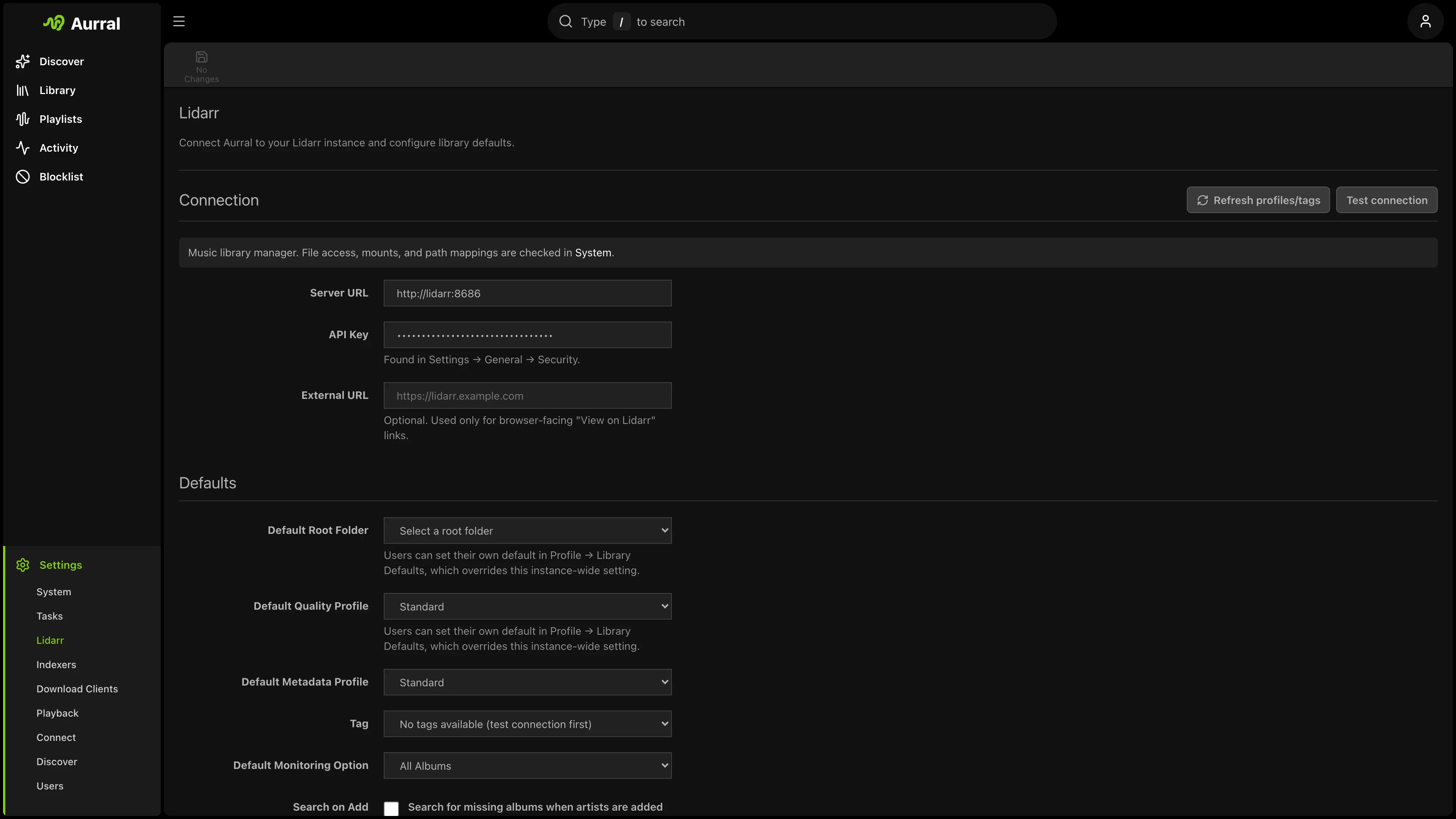
- To connect Lidarr, enter the Lidarr URL and API key, then select Test connection.
- If you skip Lidarr, enter the Downloads Folder, such as
/data/downloads/aurral. You can connect Lidarr later.
- Open Settings > Download clients. Make sure that Downloads Folder > Path is a writable path inside Aurral.
- Open Settings > Storage health and select Run checks. Fix each failed check.
- Connect the download clients and the playback server that you use.
Use an HTTPS Lidarr URL when the connection leaves your trusted network. Aurral sends the Lidarr API key to this URL. On a private Docker Compose network, http://lidarr:8686 is acceptable.
Test connection checks the Lidarr API only. Storage health checks that Aurral can read your files and write to the Downloads Folder. Its Lidarr library section checks the Lidarr files, and Aurral skips that section when Lidarr is not connected. Its Aurral-native playback section checks that the built-in player can read indexed media.
Aurral also runs a Subsonic server at /rest. Subsonic players can connect to it with an Aurral account. See Navidrome and Subsonic.
Connect the other services
Section titled “Connect the other services”- Download clients. Open Settings > Download clients. Connect slskd, SABnzbd, NZBGet, or deemix, and make sure that each client writes completed files under the shared media mount. The built-in yt-dlp source needs no separate service.
- Navidrome. Open Settings > Playback > Navidrome. Aurral creates its playlist library when a flow or playlist first downloads a track. See Navidrome.
- Plex. Open Settings > Playback > Plex and connect your Plex account. After a flow downloads tracks, select Sync to Plex now. See Plex.
- Jellyfin. Open Settings > Playback > Jellyfin. See Jellyfin.
If a service uses a different path, see When paths cannot match. Mount the folder inside Aurral before you add a path mapping.
Next: Discover